> ## Documentation Index
> Fetch the complete documentation index at: https://docs.credibledata.com/llms.txt
> Use this file to discover all available pages before exploring further.
# CI/CD Setup
> Automated package versioning and publishing with GitHub Actions
Your semantic models are Malloy code in plain files, so they fit the engineering workflow you already have: version them in Git, review them in pull requests, and publish automatically when changes merge. This page sets up that last step — a CI/CD pipeline using our GitHub Actions template.
## How It Works
When you push changes to your `main` branch:
1. **Detect** — Pipeline identifies which packages changed
2. **Version** — Automatically bumps the patch version in `publisher.json`
3. **Publish** — Deploys packages to your Credible environment
## Prerequisites
* A GitHub repository for your packages
* Admin access to the repository
* A Credible organization and environment
## Setup
### Step 1: Create Repository from Template
1. Go to the [CI/CD template repository](https://github.com/credibledata/credible-cicd-template)
2. Click **"Use this template"** → **"Create a new repository"**
3. Choose your organization and enter a repository name
The template includes all necessary scripts and GitHub Actions workflows.
### Step 2: Configure GitHub App
The CI/CD bot needs a GitHub App to commit version bumps back to your repository.
**Create the App:**
1. Go to your GitHub organization: **Settings** → **Developer settings** → **GitHub Apps** → **New GitHub App**
2. Configure:
* **Name**: `credible-cicd-bot`
* **Webhook**: Uncheck "Active"
* **Repository permissions**: Contents (Read/Write), Pull requests (Read/Write), Metadata (Read)
* **Installation**: "Only on this account"
3. Click **Create GitHub App**
4. Note the **App ID** at the top of the page
5. Scroll to **Private keys** → **Generate a private key** (save the `.pem` file)
6. Go to **Install App** → Install on your repository
### Step 3: Configure Secrets
Go to your repository: **Settings** → **Secrets and variables** → **Actions** → **New repository secret**
| Secret | Value |
| -------------------------- | ----------------------------------- |
| `CICD_BOT_APP_ID` | Your GitHub App ID |
| `CICD_BOT_APP_PRIVATE_KEY` | Contents of the `.pem` file |
| `JWT_ACCESS_TOKEN` | Credible API token (see note below) |
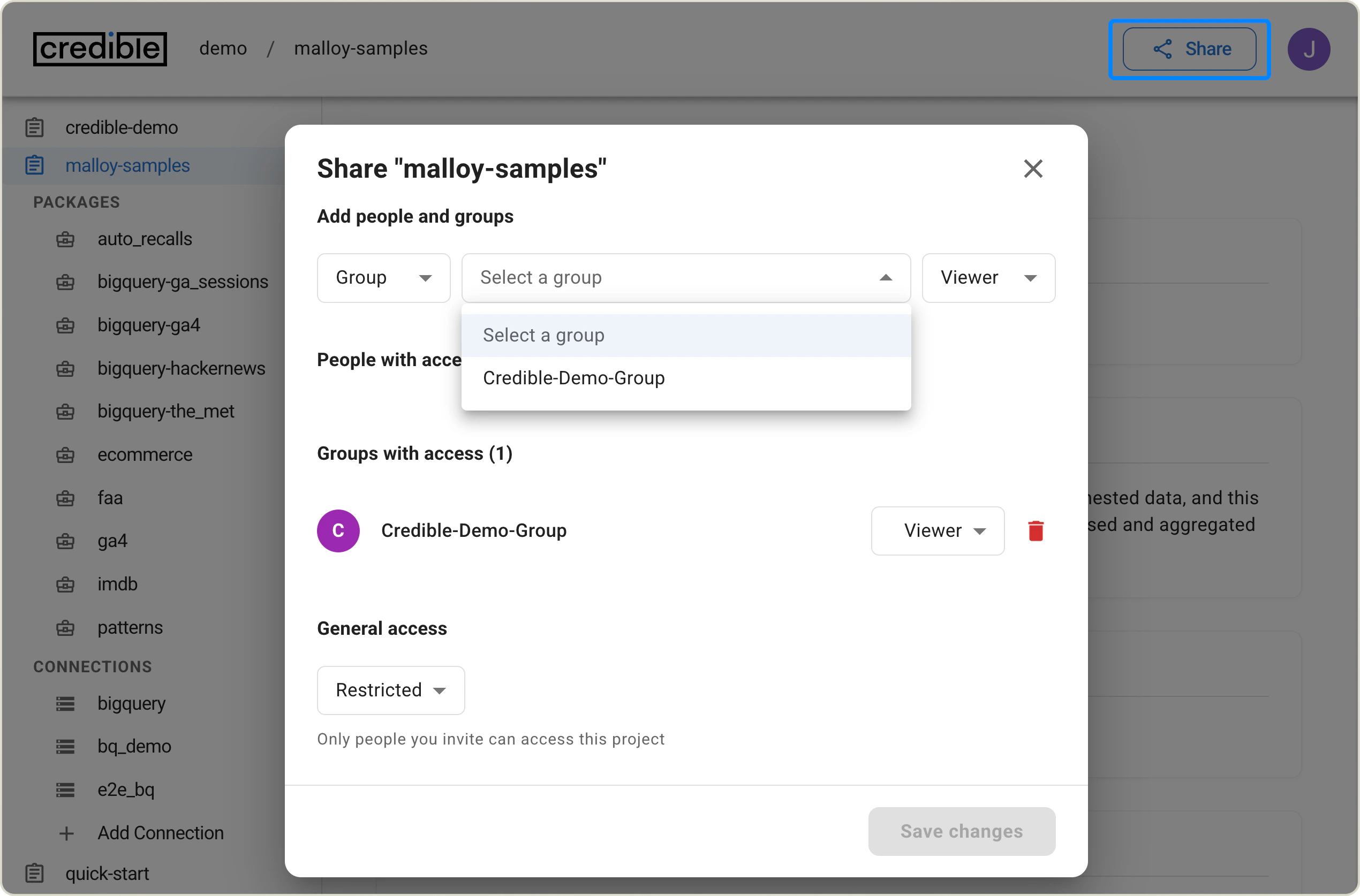
Generate a Credible API token using the CLI: `cred add group-access-token`. See [CLI documentation](/platform-admin/cli#groups) for details.
The group used to generate the token needs **Modeler** access to your environment:
 ### Step 4: Configure Variables
Go to: **Settings** → **Secrets and variables** → **Actions** → **Variables**
| Variable | Value |
| -------------- | ------------------------------------------------------------------------------------------------------------ |
| `CRED_ORG` | Your Credible organization name |
| `CRED_PROJECT` | Your Credible environment name (the env var name retains `PROJECT` for backwards compatibility with the CLI) |
| `SET_LATEST` | `true` or `false` (optional, defaults to `true`) |
### Step 5: Configure Branch Protection
1. Go to **Settings** → **Branches** → **Add branch protection rule**
2. Branch name pattern: `main`
3. Enable:
* **Allow specified actors to bypass required pull requests** → Add `credible-cicd-bot`
* **Require status checks to pass before merging**
* **Restrict who can push to matching branches** → Add `credible-cicd-bot`
## Repository Structure
Your repository should follow this structure:
```
your-repo/
├── .github/workflows/ # CI/CD workflows (from template)
├── packages/
│ ├── package-one/
│ │ ├── publisher.json
│ │ └── [your .malloy files]
│ └── package-two/
│ └── ...
└── scripts/ # CI/CD scripts (from template)
```
Each package needs a `publisher.json`:
```json theme={"languages":{"custom":["/languages/motly.tmGrammar.json","/languages/malloy.tmGrammar.json"]}}
{
"name": "your-package-name",
"version": "0.0.0",
"description": "Package description"
}
```
## Merge Strategy
**Do not use "Squash and merge"** for pull requests that modify packages. Squashing can cause the pipeline to miss package changes. Use **Merge commit** or **Rebase and merge** instead.
## Support
If you encounter issues, check the workflow logs in the GitHub Actions tab. For additional help, [contact us](mailto:support@credibledata.com) with workflow run IDs and error messages.
### Step 4: Configure Variables
Go to: **Settings** → **Secrets and variables** → **Actions** → **Variables**
| Variable | Value |
| -------------- | ------------------------------------------------------------------------------------------------------------ |
| `CRED_ORG` | Your Credible organization name |
| `CRED_PROJECT` | Your Credible environment name (the env var name retains `PROJECT` for backwards compatibility with the CLI) |
| `SET_LATEST` | `true` or `false` (optional, defaults to `true`) |
### Step 5: Configure Branch Protection
1. Go to **Settings** → **Branches** → **Add branch protection rule**
2. Branch name pattern: `main`
3. Enable:
* **Allow specified actors to bypass required pull requests** → Add `credible-cicd-bot`
* **Require status checks to pass before merging**
* **Restrict who can push to matching branches** → Add `credible-cicd-bot`
## Repository Structure
Your repository should follow this structure:
```
your-repo/
├── .github/workflows/ # CI/CD workflows (from template)
├── packages/
│ ├── package-one/
│ │ ├── publisher.json
│ │ └── [your .malloy files]
│ └── package-two/
│ └── ...
└── scripts/ # CI/CD scripts (from template)
```
Each package needs a `publisher.json`:
```json theme={"languages":{"custom":["/languages/motly.tmGrammar.json","/languages/malloy.tmGrammar.json"]}}
{
"name": "your-package-name",
"version": "0.0.0",
"description": "Package description"
}
```
## Merge Strategy
**Do not use "Squash and merge"** for pull requests that modify packages. Squashing can cause the pipeline to miss package changes. Use **Merge commit** or **Rebase and merge** instead.
## Support
If you encounter issues, check the workflow logs in the GitHub Actions tab. For additional help, [contact us](mailto:support@credibledata.com) with workflow run IDs and error messages.